
If GoPublish is unable to connect to your WordPress site due to firewall restrictions, you may need to whitelist the GoPublish IP address in Cloudflare. Follow these simple steps:
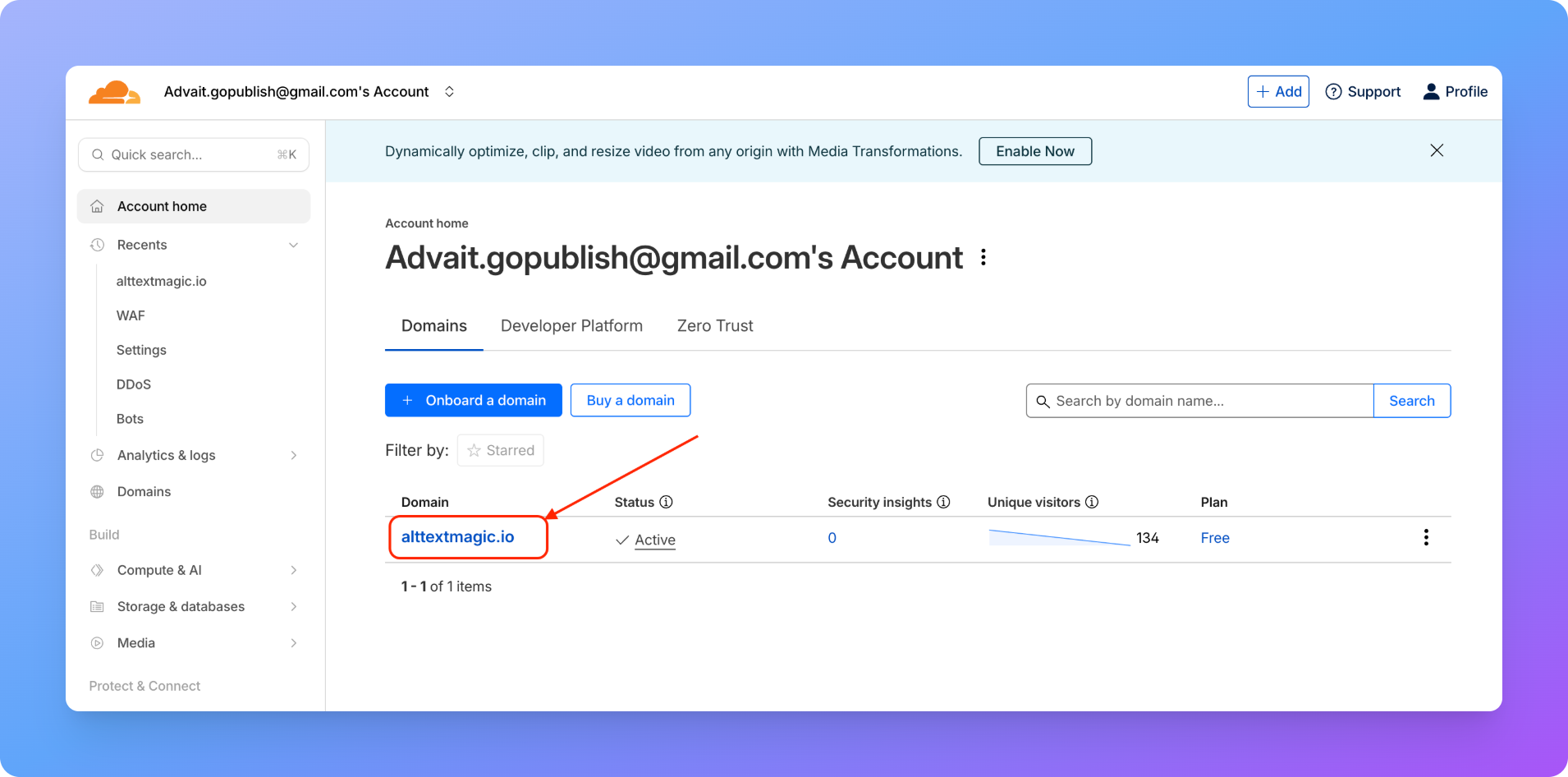
Step 1: Open Your Cloudflare Dashboard
Log in to your Cloudflare account and select the website where you want to whitelist the IP address.
Step 2: Navigate to the WAF Settings
From the left-hand menu, go to Security > WAF.
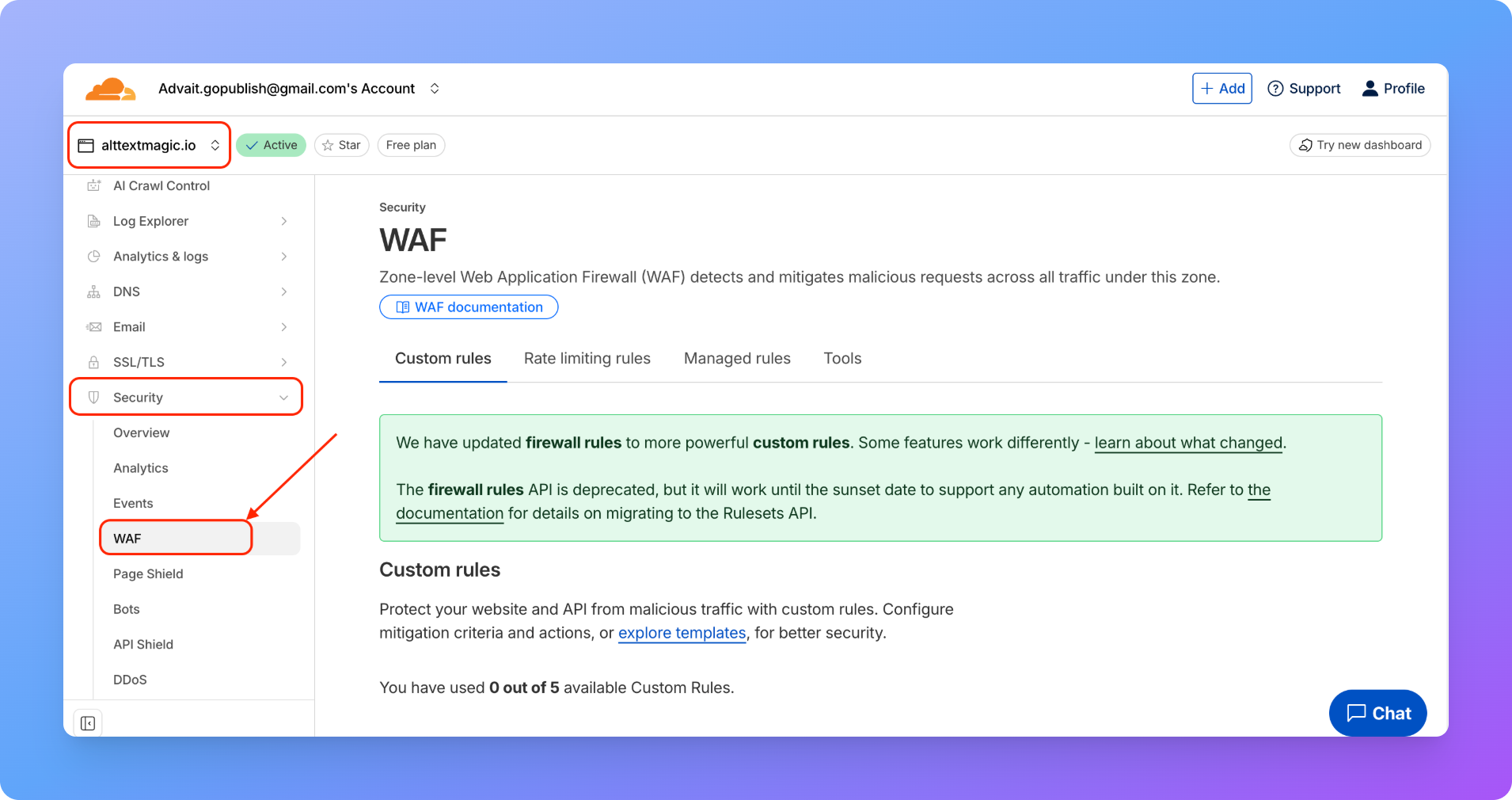
Step 3: Open the Tools Tab
Inside the WAF page, click on the Tools tab. You’ll see an IP Access Rules section on this page.
Step 4: Whitelist the IP address
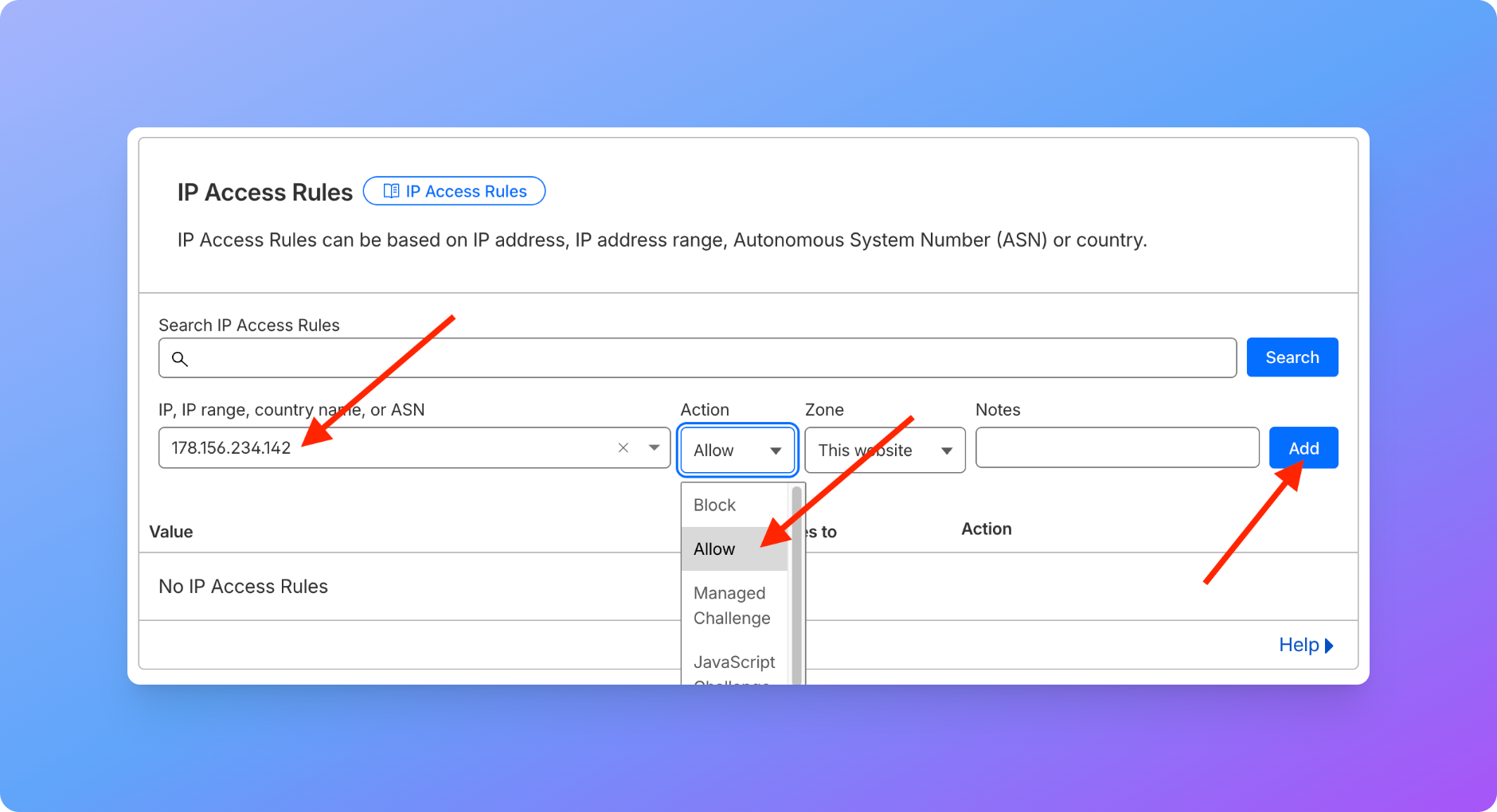
In this section, you’ll see a field labeled “IP, IP range, country name, or ASN.” Enter the GoPublish IP Address 178.156.234.142 in the input box. Next, from the Action dropdown, select Allow. Next, under Zone, select:
- “This website” if you are connecting GoPublish only to the current site, or
- “All websites in account” if you want to whitelist the IP for all your sites.
Click Add to create the rule. That’s it! You’ll now see the IP address rule added in the table.
The GoPublish IP address is now whitelisted, and your connection should work smoothly.